Why Your Budget Monitor Stops Telling the Truth: Capacitor Quality and Long-Term Color Fidelity
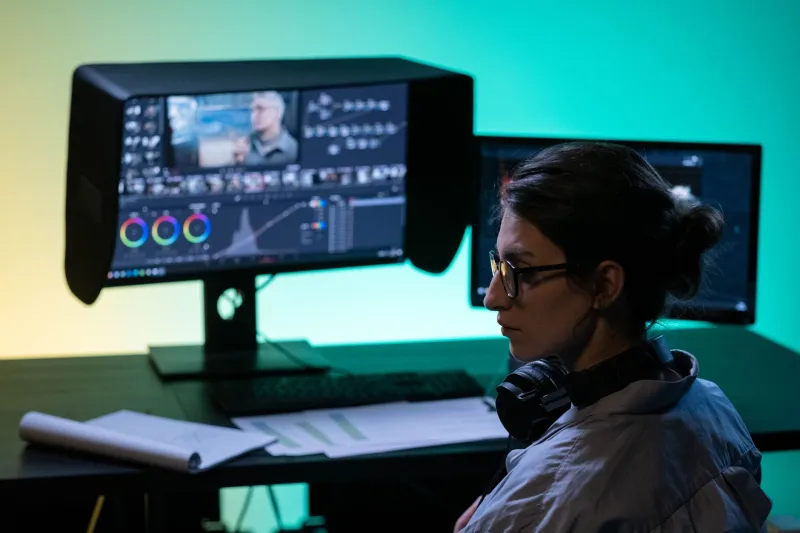
When a photographer delivers files that look perfect on their editing display but print with a greenish cast, or when a video colorist notices their reference monitor gradually drifting toward warmer tones after eighteen months of daily use, the instinct is to blame the panel itself — the IPS layer, the backlight, or the calibration software. Rarely does the conversation turn to the power supply board and the capacitors sitting on it. That omission is costly.
Capacitor degradation is one of the most underreported contributors to color accuracy loss in consumer and prosumer monitors, and it disproportionately affects budget-tier displays that cut costs precisely where reliability matters most.
What Capacitors Actually Do Inside a Monitor
A monitor's internal power supply board uses electrolytic capacitors to smooth voltage delivery to the backlight driver and the display's timing controller. These components filter out electrical noise, regulate current to the LED backlight array, and stabilize the power rails feeding the panel's gamma circuitry. When they function correctly, voltage to the backlight remains consistent — and consistent voltage means consistent luminance, which is the foundation of accurate color reproduction.
The connection between voltage stability and color accuracy is not incidental. Display panels render color through a combination of backlight intensity and liquid crystal positioning (in the case of IPS or VA panels). If the backlight driver receives fluctuating or degraded power, luminance output becomes irregular across the panel's surface. This irregularity manifests as uneven white balance, color temperature drift, and reduced contrast precision — all of which corrupt color accuracy even if the panel itself remains physically intact.
Electrolytic vs. Solid Capacitors: A Meaningful Distinction
The capacitor market is not monolithic. Budget monitors almost universally rely on standard aluminum electrolytic capacitors, which use a liquid electrolyte to achieve high capacitance in a compact form factor. The problem is intrinsic to the design: the electrolyte evaporates over time, accelerated significantly by heat. As the electrolyte depletes, capacitance drops, equivalent series resistance (ESR) rises, and the capacitor's ability to filter voltage ripple deteriorates.
Premium monitors — and a growing number of mid-range displays marketed toward creative professionals — increasingly use solid-state polymer capacitors or hybrid variants. These replace the liquid electrolyte with a conductive polymer that does not evaporate. The performance advantage is substantial: solid capacitors typically maintain stable ESR values for 5,000 to 10,000 hours of operation at rated temperature, compared to 1,000 to 3,000 hours for standard electrolytics under similar thermal conditions.
For a monitor used eight hours per day in a professional environment, that difference translates to roughly three to six years of stable performance versus less than two years before measurable degradation begins affecting color output.
Real-World Degradation Timelines
Understanding when degradation becomes perceptible requires separating two distinct failure modes: catastrophic failure (the capacitor bulges or leaks, causing the monitor to malfunction outright) and gradual performance degradation, which is far more insidious for color-critical work.
In budget monitors using low-grade electrolytic capacitors, gradual ESR increase typically begins within twelve to eighteen months of regular use in a warm environment — say, a home office without aggressive climate control. Users rarely notice immediately because the shift is incremental. White balance may drift by 100 to 200 Kelvin over several months. Delta-E values that measured below 2.0 at purchase may quietly climb toward 4.0 or 5.0. By the time the problem is obvious, the display has been providing inaccurate color for a significant portion of its working life.
Mid-range monitors using better-grade electrolytics or hybrid capacitors extend stable operation to approximately three years. Displays built with solid polymer capacitors throughout the power supply board can maintain original color accuracy specifications for five years or more, assuming adequate ventilation and reasonable ambient temperatures.
The Heat Problem: Why Monitor Placement Compounds Capacitor Aging
Capacitor aging follows the Arrhenius equation — a principle from chemical kinetics that states reaction rates (including degradation) roughly double for every 10°C increase in temperature. For electrolytic capacitors, this means a unit operating at 65°C internally will degrade approximately twice as fast as one operating at 55°C. Budget monitors, which often use lower-quality thermal management and less robust internal layouts, run hotter than premium alternatives. The combination of inferior capacitors and higher operating temperatures creates a compounding degradation effect that accelerates color drift far beyond what the panel's rated lifespan would suggest.
Buyers who stack monitors in poorly ventilated configurations, position displays near heat-generating equipment, or operate in warm climates without air conditioning are inadvertently accelerating this timeline further.
What to Examine Before Purchasing: A Buyer's Checklist
For professionals who depend on sustained color accuracy — photographers, video editors, graphic designers, print production specialists — the following checklist provides a framework for evaluating monitors through the lens of long-term fidelity rather than point-of-purchase specifications alone.
1. Confirm the capacitor type used in the power supply board. This information is rarely listed in official specifications, but reputable review outlets and teardown analyses (available through sites like iFixit and hardware-focused forums) often document internal component quality. Search for teardown reports specific to the model you are considering before committing.
2. Examine the manufacturer's rated operational lifespan. Monitors certified for professional use — such as those carrying EIZO ColorEdge, NEC MultiSync PA-series, or BenQ SW-series designations — typically publish MTBF (mean time between failures) figures and are engineered with component quality consistent with those claims. Budget monitors rarely publish MTBF data, which is itself informative.
3. Evaluate the warranty terms relative to your use case. A three-year warranty that covers panel defects but excludes power supply components offers limited protection against the degradation mode described here. Look for warranties that explicitly cover display electronics, not just the panel layer.
4. Check for hardware calibration support. Monitors that support hardware-level calibration via colorimeter (as opposed to software-only calibration) allow users to periodically recalibrate to compensate for drift. This does not prevent degradation, but it extends the window during which accurate color output can be maintained. Models without hardware calibration support offer no recovery path once drift begins.
5. Review independent long-term color accuracy testing. Some review outlets, including Rtings.com and DisplayNinja, conduct retesting of panels after extended use periods. Where available, these longitudinal measurements are more valuable than factory-fresh test data for assessing real-world color stability.
6. Prioritize adequate ventilation in your setup. Regardless of which monitor you purchase, positioning it with sufficient clearance for airflow and away from heat sources meaningfully extends capacitor lifespan. This is one of the few post-purchase variables within a buyer's control.
The True Cost of Cheap Components
The budget monitor market is built on the premise that panel specifications — resolution, color gamut coverage, peak brightness — represent the full story of display quality. They do not. The electrical infrastructure supporting those specifications determines whether the panel's native capabilities are consistently delivered over time.
For buyers who rotate monitors every two years and prioritize initial specifications over longevity, budget displays may represent a reasonable compromise. For professionals whose work demands sustained color fidelity — and whose reputation depends on it — the internal component quality of a monitor deserves the same scrutiny as its advertised Delta-E rating. A display that measures accurately out of the box but drifts significantly within eighteen months is not, in any meaningful sense, a professional tool.
The capacitors inside your monitor are not a footnote. They are part of the specification.